AI Assistant for Construction Teams — Create Tasks by Voice
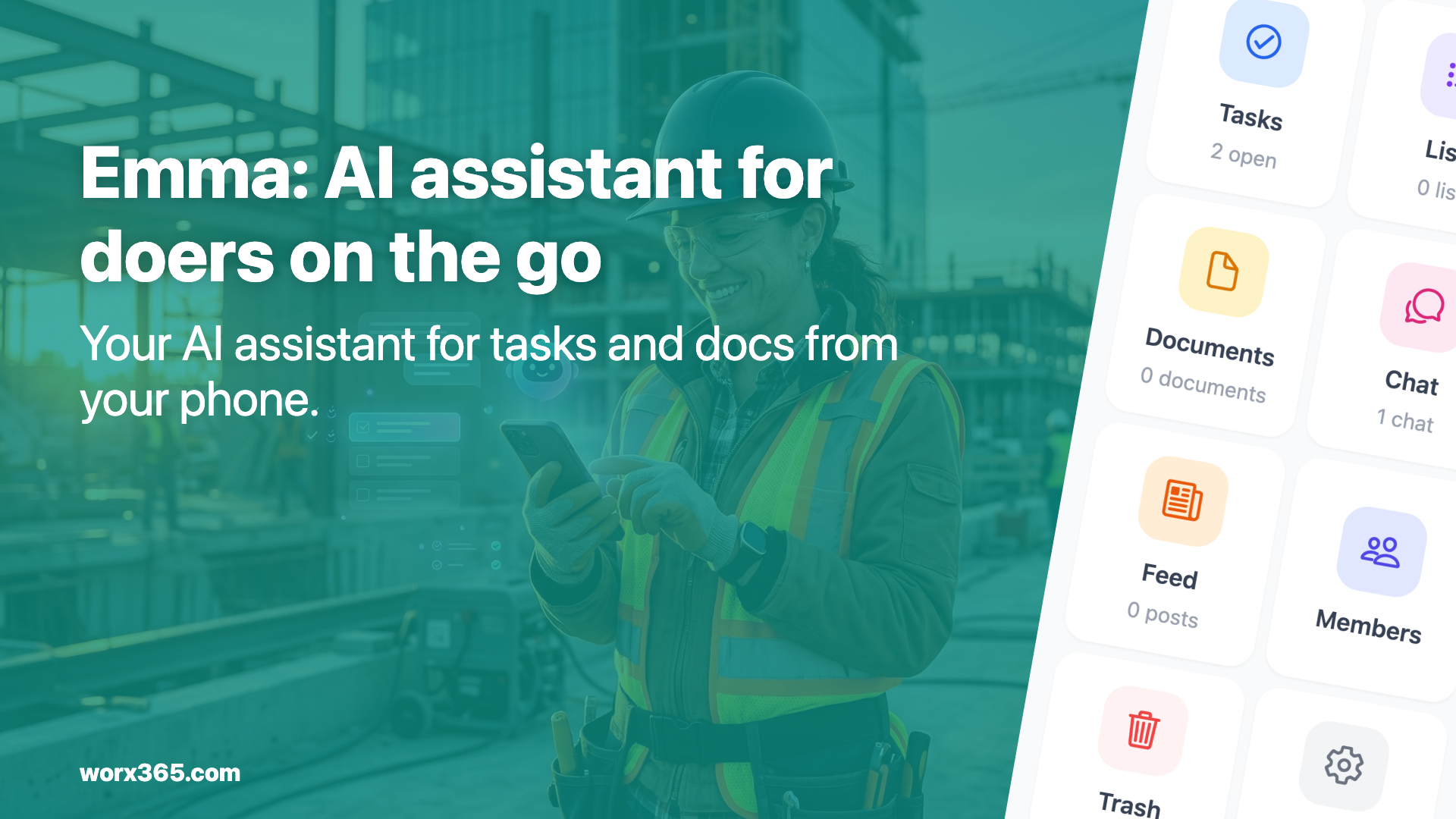
No time for admin work? The AI assistant Emma handles tasks, photos and documentation right from your phone — by voice. Built for tradespeople and site managers.
Sound familiar?
You’re standing on the job site, your phone rings, an employee has a question, the client wants an update and you’re thinking: “I still need to take the progress photos, update the material list and confirm the appointment for next week.”
In the evening, you sit down and try to catch up on everything. What was the status on the Weber project again? Did I forward that invoice? And where’s the photo I took this morning?
If you’re a team lead, foreman, site manager or business owner, you know this. You’re on the road all day, making decisions every other minute, and the admin work piles up. There just aren’t enough hours in the day.
Emma thinks ahead so you don’t have to
That’s what Emma is for. Emma is your AI assistant in Worx365, and she’s always there for you. Whether you’re in the car, on the job site or have five minutes between appointments.
Just talk to her
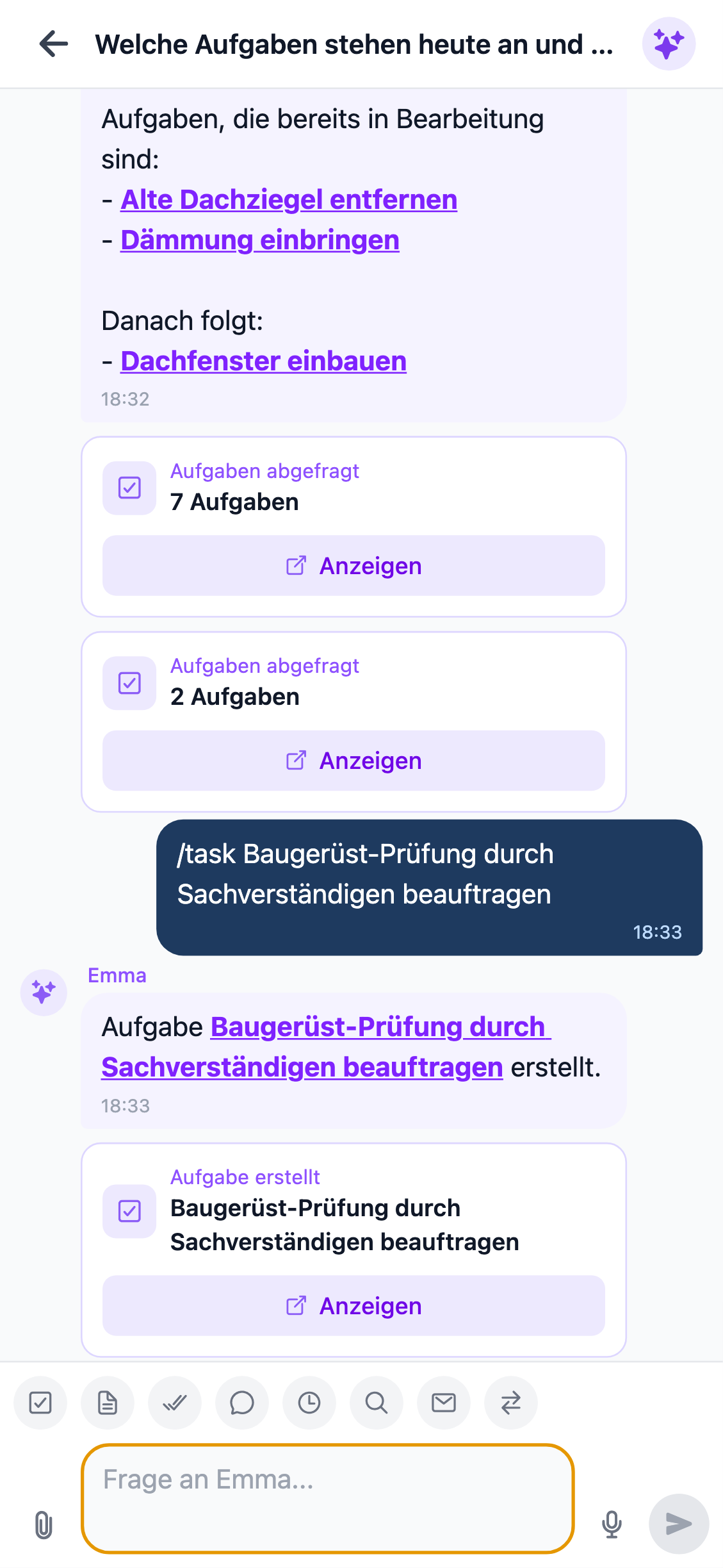
You don’t have to type anything. Grab your phone, open Worx365 and tell Emma what needs to happen:
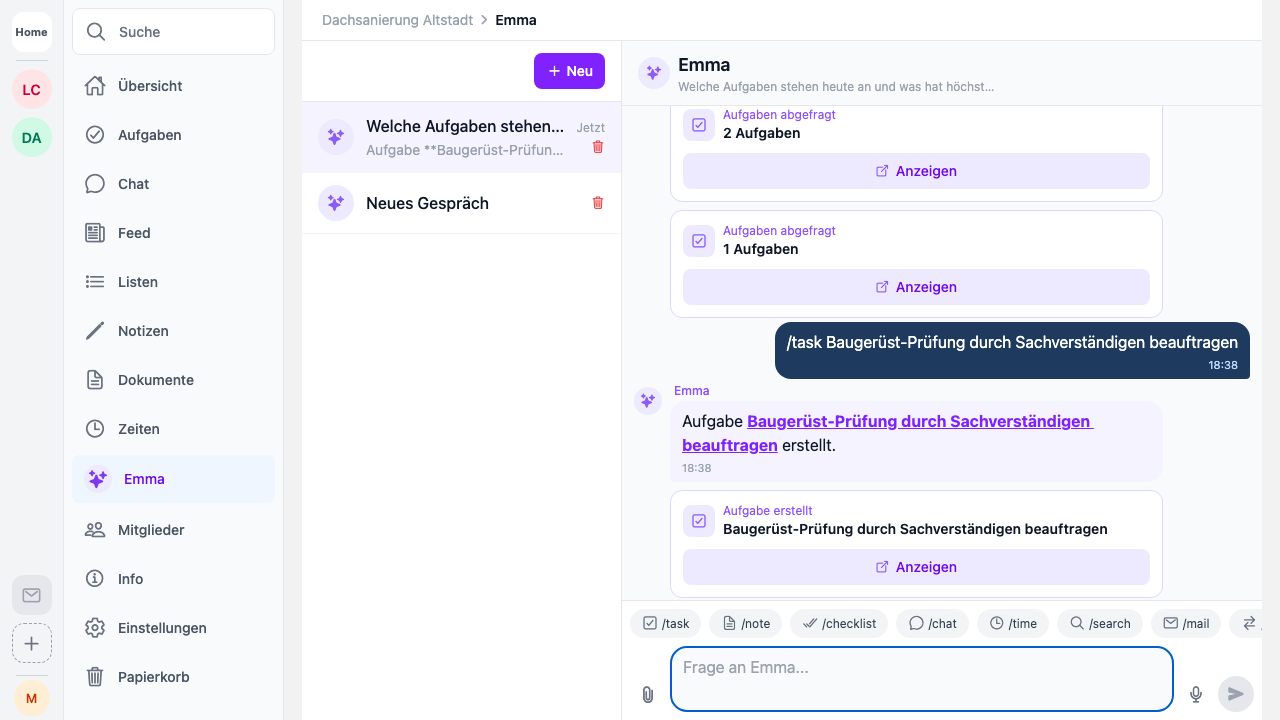
- “Emma, create a task: send the quote for project Weber by Friday.”
- “Emma, add a note: client wants the patio 20 cm wider.”
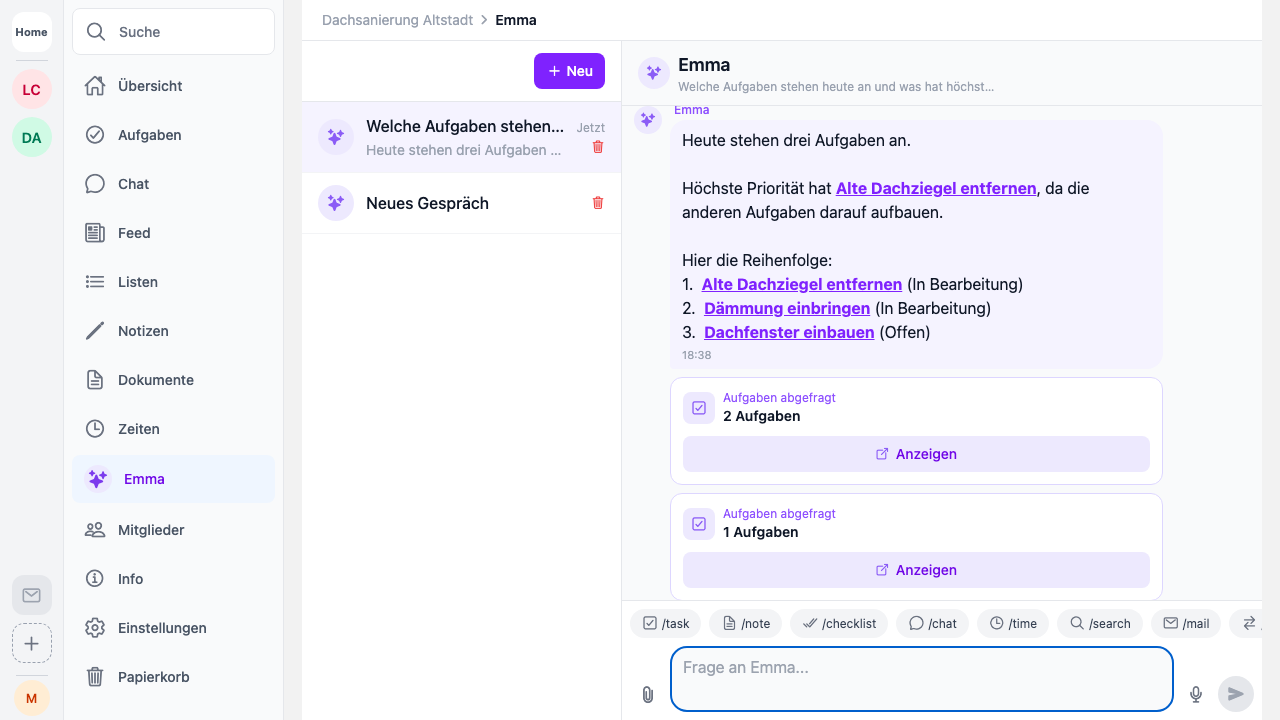
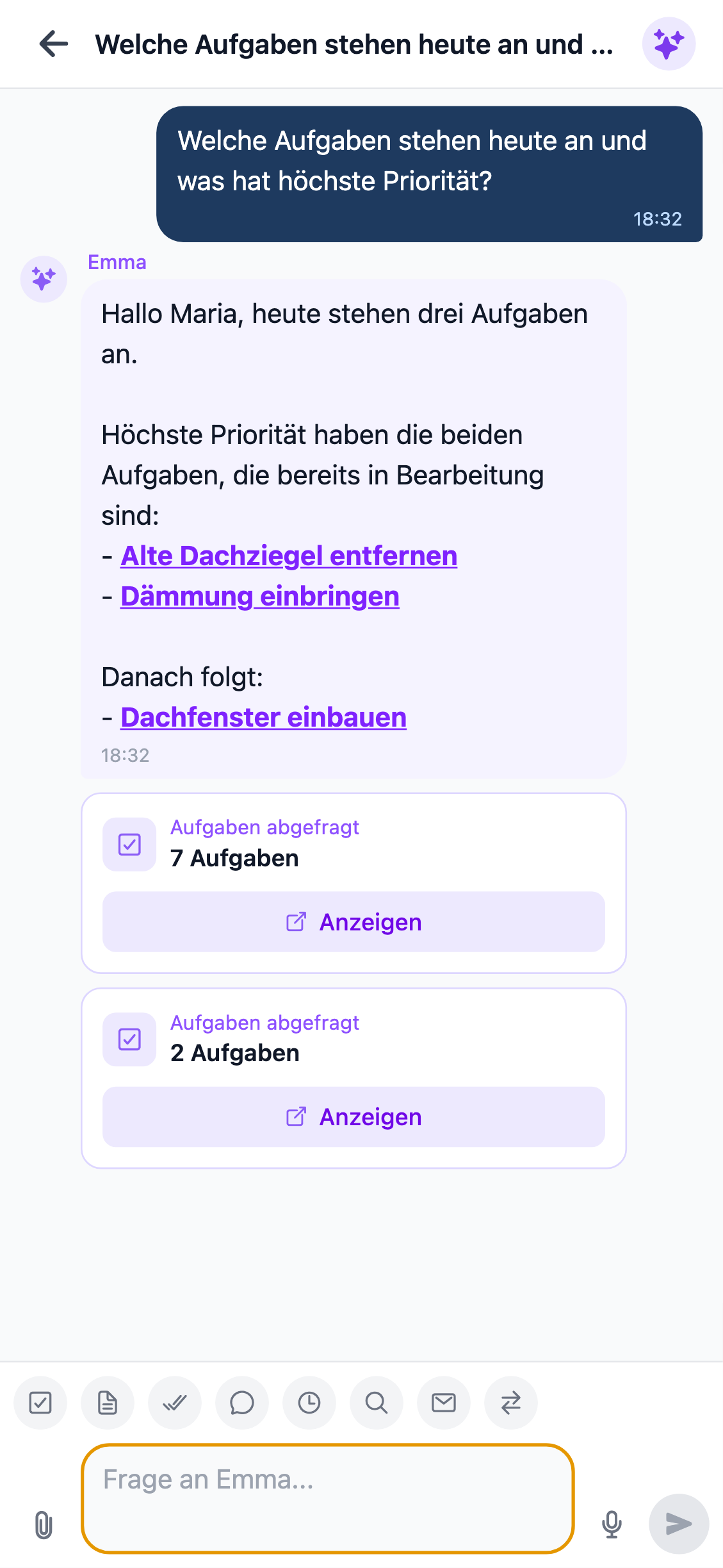
- “Emma, what’s still on the list for today?”
Emma understands you, creates the task, writes the note and files everything in the right project. You talk, she takes care of it.
Photos and videos, documented on the spot
You take a progress photo? Emma helps you file it directly in the project. No more searching through your camera roll, no more sending things back and forth on WhatsApp. Take the photo, assign it to the project, done.
Before-and-after shots, defect photos, delivery notes or sketches — everything ends up where it belongs. And if your client follows project progress through the customer feed, they see the photos right away.
Same goes for videos. Short clips from the job site, a video message for the team, a documented defect. All goes straight into the project, all searchable.
You don’t need a big team
Maybe you’re thinking: “Sounds great, but there’s only two of us” or “I mostly work alone.” That’s exactly the point.
Emma doesn’t require ten employees to be useful. She works for you. If you’re a solo operator or running a small team, you’re often the boss, project manager, site manager and bookkeeper all in one. You don’t have anyone to handle the admin work for you.
But Emma can.
She helps you keep track of things, even if you only have one or two projects at a time. What matters isn’t the number of projects — it’s how much you have to keep in your head:
- Create and track tasks
- File documents and photos
- Manage lists — materials, inventory or contacts
- Track time for yourself and your team
- Capture notes before you forget them
- Answer questions without having to remember everything
A licensing model that fits
That’s why we designed our pricing to work for people with just a few projects who still want the full AI assistant. You don’t need an enterprise plan to use Emma.
Check out our packages. Whether you’re a one-person operation or running a growing team doesn’t matter. You book what you need, and Emma is available as an add-on right away.
Emma gets better every day
The best thing about Emma: if you sign up today, you automatically benefit from every improvement we ship. No extra cost and nothing you need to do.
We’re already in a good place. Emma creates tasks, summarizes information, helps with documentation and answers questions about your projects. But AI development doesn’t stand still, and neither do we.
In the future, Emma will help you in even more ways. Automatic summaries, smarter suggestions, proactive reminders. And you’re in from the start.
Your day with Emma
Imagine what your workday looks like with Emma on your side.
In the morning, you open Worx365 and Emma shows you what’s on the agenda. No scrolling through lists, no “What was that thing again…?”
On the job site, you take photos, speak tasks and notes into your phone. Emma files everything in the right projects. When the client calls at noon asking about the status, you ask Emma and have the answer in seconds. No digging through folders.
And in the evening? Instead of catching up on paperwork, everything is already documented. You call it a day because Emma kept up with things throughout the day.
Questions? Get in touch
We know every business is different. If you have questions about how Emma can help you specifically, reach out. We’re happy to show you what Worx365 and Emma can do for you.
Whether it’s landscaping, trades, planning or services — if you spend most of your time on the road and have a thousand things on your mind, Emma is the right support.
Want to try Emma? Sign up and get started from day one.